


-


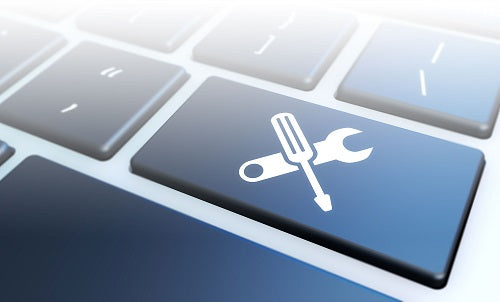
Avast Driver Updater
Regular price From €12,95Selling price From €12,95 Regular priceUnit price forAvast Driver Updater With Avast Driver Updater, you can keep your drivers up to date and improve system performance while ensuring your hardware works perfectly. Updating...


Driver software
What is driver software, and why is it important?
Driver software is a special type of software that allows the operating system to communicate with hardware components. Without the right drivers, hardware may not function properly or may not be recognized at all. Drivers are essential for ensuring your system's performance and stability, as they make sure that all devices, such as printers, graphics cards, and network cards, work correctly and provide the desired features.
What types of drivers are there?
There are several types of drivers, each responsible for different hardware components. These include device drivers, which are specific to individual devices such as printers or scanners, and system drivers, which are responsible for the basic functionality of the operating system. There are also drivers for graphics cards, network cards, and other peripherals, each offering specialized features and optimizations to improve performance.
How do I find the right drivers for my device?
To find the right drivers for your device, you should first visit the manufacturer's website. There, you'll usually find a downloads section where you can download the latest drivers for your specific model. Alternatively, you can use your operating system's Device Manager to search for updated drivers. It's important to update your drivers regularly to ensure the best possible performance and security.
What should I keep in mind when installing drivers?
When installing drivers, make sure you select the right version for your operating system and hardware. It is advisable to close all other programs before installation to avoid possible conflicts. You should also follow the manufacturer’s installation instructions carefully to ensure the driver is installed correctly. An incorrectly installed driver can cause hardware problems.
- Device drivers for specific hardware components
- System drivers for basic operating system functions
- Regular updates to improve performance
How can I fix driver problems?
If you encounter driver problems, there are several steps you can take to resolve them. First, check whether your drivers are up to date. If not, update them. Sometimes it can also help to uninstall and then reinstall the driver. If the problem persists, you can consult the manufacturer’s support pages or search online forums for solutions.
How often should I update my drivers?
It is recommended that you update your drivers regularly to ensure your system runs optimally. You should check your drivers especially after major operating system updates or when adding new hardware. Many manufacturers also offer automatic update tools that can help you find and install the latest drivers. Regular driver maintenance contributes to your system’s stability and security.
Featured collection
-
Acronis Cyber Backup Advanced Microsoft 365
Regular price From €189,95Selling price From €189,95 Regular priceUnit price for -
Veeam Backup for Salesforce
Regular price From €31,95Selling price From €31,95 Regular priceUnit price for -



Veeam Data Platform Foundation Socket License
Regular price From €1.391,95Selling price From €1.391,95 Regular priceUnit price for -



Veeam Recovery Orchestrator
Regular price From €1.376,95Selling price From €1.376,95 Regular priceUnit price for


